
Bible Chat - Holy Bible Study review
 Analysis by GetAllApps
I’d describe Bible Chat as a Bible-reading companion for people who want a small, guided moment of faith to fit into an already busy day. Its mix of scripture, prayer, audio, devotionals, and study plans gives it a broader role than a simple verse-of-the-day app. In my view, that range is useful when you want help deciding what to read or how to build a routine, though it won’t suit everyone who prefers an unadorned digital Bible.
Where the first few minutes can feel unclear
Bible Chat - Holy Bible Study is a free Books & Reference app from Book Vitals Inc. The name may suggest a conversational tool, but I would approach it first as a collection of Bible-focused reading and reflection resources. That distinction matters: someone looking for a particular passage or a plain Bible reader may want to start with that task rather than expect the app to behave like a traditional search-first reference library.
The app’s range can also create a mild choice problem. A daily verse, prayer, devotional, audio Bible, and study plan all serve different moods and time budgets. When I’m only looking for a quick reading, having several possible directions is less immediately simple than opening a basic Bible app and going straight to a chapter. The practical fix is to choose one purpose before opening it: a brief reflection, a longer study session, or listening while doing something else.
That makes the app’s strongest use case fairly clear. It is aimed at readers who appreciate prompts and structure, especially if they are trying to make scripture part of a daily routine. It is less compelling for someone who already knows exactly what passage they want and values speed, minimalism, or a highly specialized study reference above guided material.
Check the basics before judging the experience
When an app feels confusing or slow to get into, I find it helps to separate a setup issue from a mismatch in expectations. First, confirm that the device meets the minimum OS requirement: Bible Chat supports version 8.0 or later. If the app is already installed but behaves unexpectedly, checking that it is up to date is a sensible first step; the current release is 5.0.27.
It is also worth being clear about cost before settling into a routine. The app is free to download, with optional in-app purchases ranging from $0.99 to $99.99 per item. I would treat the free experience as a way to see whether the format fits, and look carefully at any purchase prompt before confirming it. A free download does not mean every optional item is free, so it is better to make that distinction early rather than discover it mid-session.
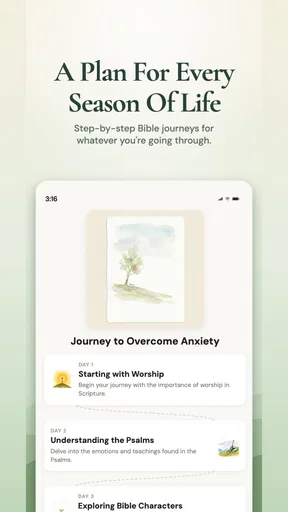
For a smoother first session, I’d start with one resource rather than try to explore everything at once. Read a daily verse, or choose a study plan if you want a sequence to follow. If listening is the reason you installed it, test the audio Bible when you have a moment to pay attention to playback and sound on your own device. This simple approach makes it easier to tell whether the app’s content and presentation work for you.
Build a routine without making it another chore
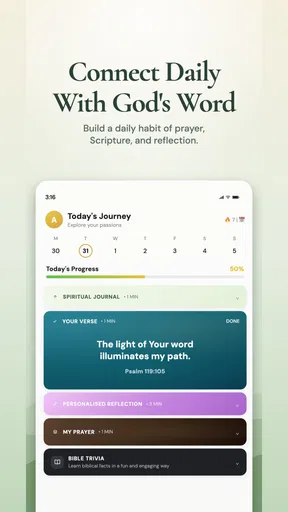
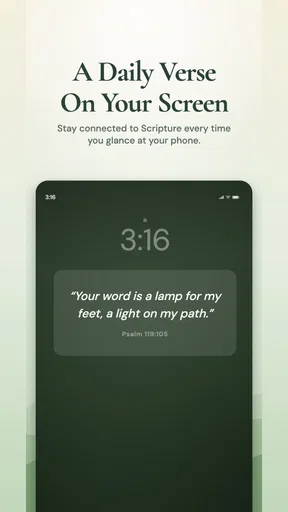
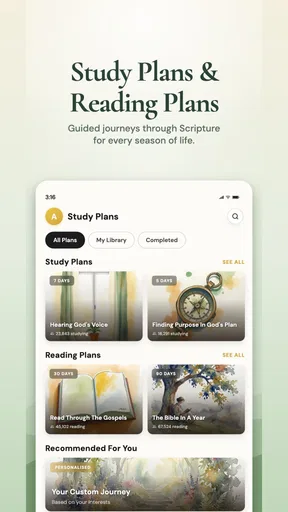
The most useful way to approach a collection like this is to assign its different parts distinct jobs. A daily verse can be a quick pause; a devotional can add reflection; a study plan can give several sessions a clearer direction; and audio can make scripture more accessible when your hands are occupied. That division helps prevent the app from becoming a menu you browse without actually reading.
One realistic routine would be to read a short passage with breakfast, then return to a study plan when you have more time later in the day. Another is to use audio during a quiet walk, while saving written reading for moments when you can stop and reflect. These are not complicated systems, but they make the app’s variety more practical: each feature has a specific occasion rather than competing for attention at once.
A small but useful trade-off is that guided material can lower the effort needed to begin while also narrowing the experience toward the themes and pacing chosen by the app. If you want open-ended exploration, use the guided content as a starting point, then follow your own reading interests elsewhere. If you prefer someone else to provide a clear next step, the plans and devotional material are likely to feel more helpful.
Recover calmly when something interrupts a session
If reading or listening is interrupted, I would avoid assuming that the app has lost everything or that the content itself is at fault. Reopen the app and return to the section you were using; if the issue persists, close and relaunch it, then check for an available update. These are ordinary troubleshooting steps rather than guarantees, but they are a reasonable way to isolate a temporary device or app hiccup.
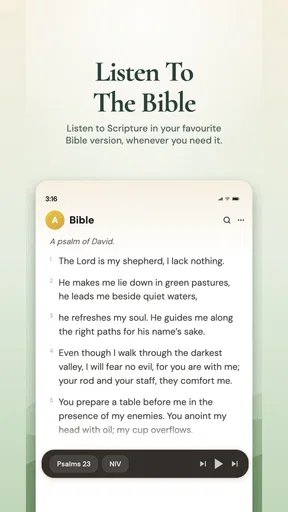
For an audio session, check the phone’s sound level and confirm that audio is not being routed somewhere unexpected, such as another connected device. If playback stops when you switch tasks, try a short test while keeping the app in view. That can help distinguish a playback problem from a device setting or a change in how the phone handles background activity. I would not plan an important listening session around assumptions about uninterrupted playback until it has worked reliably on your own setup.
For a study routine, recovery can be as simple as writing down the passage or theme you were exploring before leaving the app. That is especially helpful if you tend to read in brief intervals. The app’s guided resources are most useful when they support reflection, not when you feel pressured to remember exactly where you were after a busy day.
When the app may not be the cause
Some frustrations come from the device or the reading situation rather than from Bible Chat itself. A poor connection can affect online content or playback, while low volume, muted audio, or a connected accessory can make sound seem unavailable. If a passage or resource does not appear as expected, reopening the app and checking the connection is a more useful first reaction than repeatedly tapping through menus.
There is also a more personal kind of mismatch: a devotional prompt may not speak to what you need that day, or a guided plan may move at a pace that feels wrong. That does not necessarily mean the app is malfunctioning. I would switch to another reading approach when a prompt feels unhelpful, rather than force myself to continue simply because a plan is available. A reference app is a tool for reading, not a substitute for choosing what is meaningful to you.
Likewise, if you want close comparison of translations, detailed scholarly notes, or a particular church’s study resources, a dedicated Bible reference or study edition may be a better fit. Bible Chat’s appeal is its combination of devotional guidance and multiple ways to engage, not a promise that it will replace every specialist resource.
Who is likely to enjoy it—and who should pass
I’d recommend trying it if you want a gentle structure for regular Bible reading, appreciate devotional prompts, or sometimes prefer listening to reading on screen. It can be especially handy for someone who has good intentions but often stalls at the question of what to read next. The app’s breadth gives that person a few different ways into a session without requiring a separate tool for every kind of engagement.
I’d be more cautious if you want a fast, distraction-free passage lookup tool or expect a deeply customizable study library. The variety that helps one reader can feel like extra decisions to another. Someone who already has a trusted reading plan and only needs the biblical text may find a simpler app more efficient; someone seeking specialized commentary should choose a resource built around that need.
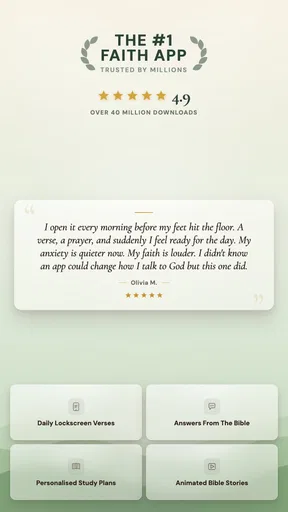
The audience response is strong: Bible Chat has a 4.9 average from around 173,000 ratings and has passed 5 million installs. Those figures suggest broad appeal, but they cannot tell you whether its guided style matches your habits. It is rated for Everyone, which makes it broadly accessible as a category of app, while the best way to judge its usefulness is still to try a short reading session and see whether you return to it naturally.
A practical verdict for daily use
My overall impression is that Bible Chat - Holy Bible Study is most valuable when you use it with a modest, repeatable goal. Pick one daily moment, decide whether you want to read, listen, pray, or follow a plan, and keep the session simple. That approach brings out the app’s guided strengths without letting its range turn into endless browsing.
Book Vitals Inc. has built an app that sits between a plain Bible reader and a devotional companion. I like that it offers several ways to engage with scripture, but I would not recommend it as a universal replacement for a focused Bible reference tool. The free entry point makes it easy to judge the experience for yourself, while optional purchases mean it is wise to pause and review any offer before spending.
If you want encouragement and structure more than advanced reference features, I think it is worth a try. If you prefer to choose every passage yourself and get directly to the text, a leaner alternative may feel better. The deciding question is not how many resources the app contains, but whether its particular mix helps you spend more time reading and reflecting in a way that fits your life.
Pros and cons
Pros
- Offers guided Bible study prompts for focused reflection.
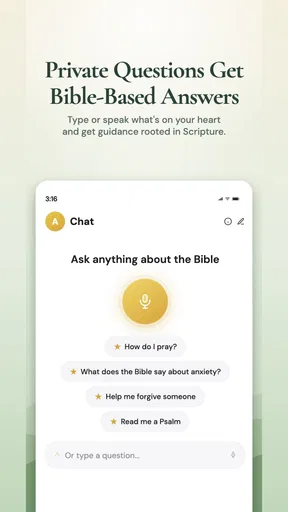
- Lets users explore scripture through conversational questions.
- Can make Bible topics easier to approach for beginners.
- Supports personal study at a flexible pace.
- Provides a convenient way to revisit faith-related questions.
Cons
- AI-generated answers may misinterpret scripture or theology.
- Responses should be checked against the Bible and trusted sources.
- Some features may require a paid subscription.
- A chat format may not suit traditional study preferences.
- Relies on an internet connection for many functions.


